I kept hearing about Notion as an “all-in-one” app that can handle notes, tasks, and planning in one place. So I finally tried it myself. This isn’t a “I tested it for 30 days” review — it’s my honest first experience as someone using this kind of app for the first time. Here’s what actually happened.
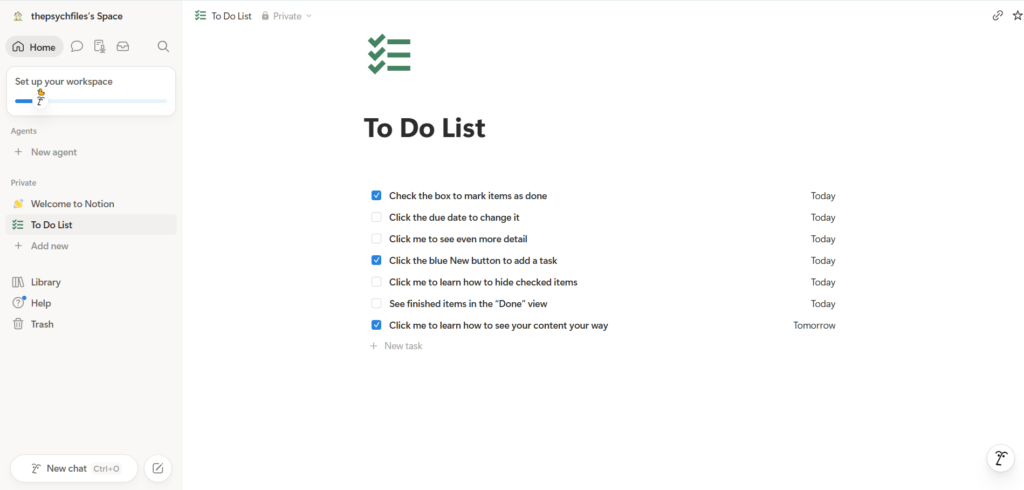
First impression: a little overwhelming
I’ll be honest — when I first opened Notion, I didn’t immediately understand how to use it. It was a new kind of app for me, and at first I wasn’t sure where to start or what to do.
Notion does try to help. It gives you a ready-made “To Do List” template with sample items like “Check the box to mark items as done” and “Click the blue New button to add a task.” In theory that’s helpful. But as a complete beginner, it still took me a little while to understand how the app actually works and what I was supposed to do with all the options on the screen.
So if you’re new to apps like this, don’t worry if it feels confusing in the first few minutes. That’s normal. It’s not just you.
What I liked: adding tasks is genuinely simple
Once I got past that first confusion, the actual day-to-day use was easy. Adding a task is simple — you just click “New task” and type. To mark something as done, you tick the checkbox next to it. That’s it.
This was the part that made me want to keep using it. The basics are not complicated at all. The learning curve is only at the very start; after that, it feels natural.
How I actually use it: daily planning
The main thing I use Notion for is daily planning. I make a simple to-do list of what I need to get done, tick items off as I finish them, and it keeps everything in one place. For organising my day, it works well and it’s quick once you’re used to it.
I’m not using the advanced features yet — and honestly, for simple daily planning, you don’t need them. The basic to-do list does the job.
Is it free?
Yes — the free plan was enough for what I needed. For personal use like daily planning and notes, I didn’t have to pay anything. There are paid plans for teams and bigger workspaces, but if you’re an individual just getting started, the free version covers the basics.
Who is Notion good for?
Based on my experience, here’s my honest take:
- Good for students, bloggers, and anyone who wants to plan their day in one organised place — once you push through the first few minutes of figuring it out.
- Be patient if you’ve never used an app like this before. There’s a small learning curve at the start. It’s not hard, it just isn’t instantly obvious.
My honest verdict
Notion is a little overwhelming when you first open it, but it becomes easy once you get used to it — especially for simple daily planning. If you’re a beginner, give it a few minutes to click, and don’t feel you need to use every feature. Start with a basic to-do list like I did, and build from there.
For free daily planning, I’d say it’s worth trying.
This is my own honest first experience with Notion. I’ll update this review as I use it more.